Notes from 2011 Cloud Connect Event Day 2 (#ccevent)

With the OpenStack launch behind me, I have some time to attend the Cloud Connect Event.  I missed all the DevOps sessions, but was getting to geek out on the NoSQL & Big Data sessions.   I jumped to the private cloud track (based on Twitter traffic) and was rewarded for the shift.

I’m surprised at how much focus this cloud conference is dedicated to private cloud.  At other cloud conferences I’ve attended, the focus has been on learning how to use the cloud (specifically the public cloud).  This is the first cloud show I’ve attended that has so much emphasis, dialog and vendor feeding around private.  This was a suits & slacks show with few jeans, t-shirts, and pony tails.  Perhaps private cloud is where the $$$ is being spent now?

It definitely feels like using cloud has become assumed, but the best practices and tools are just emerging.

The twitter #ccevent stream is interesting but temporal.  I’m posting my raw (spelling optional) notes (below the more tag) because there is a lot of great content from the show to support and extend the twitter stream.  I’ll try to italicize some of the better lines.

Continue reading

Dell to spin bare iron into OpenStack gold

I’m at the CloudConnect conference today supporting my team’s initial OpenStack foray.   Our announcement part of the Rackspace Cloud Builders announcement.

Tonight (3/8), we’re at the Rackspace Launch with a pony rack of servers (6 nodes) where we will run a LIVE DEMO of our cloud installer (codename “Crowbar”).  The initial offer includes my hyperscale white paper and our cloud foundation kit.

Interested in the details?  Here are background posts that talk about the Lean/Agile process we use, what is Crowbar, and my write up about hyperscale (“flat edge”) data centers.

Added 3/9: Links to articles about the release:

Here’s what Dell is saying about OpenStack on Dell.com/openstack:

Dell is one of the original partners in the OpenStack community, which has now grown to more than 50 companies and participants. To accelerate adoption of this powerful platform, Dell has worked to develop an effortless out-of-box OpenStack experience with:
  • Optimized PowerEdge™ C-based hardware configurations
  • A technical whitepaper that details the design of an OpenStack hyperscale cloud on PowerEdge C server technology
  • An OpenStack installer that allows bare metal deployment of OpenStack clouds in a few hours (vs. a manual installation period of several days)

Read more about the steps to design an OpenStack hyperscale cloud in a Dell technical whitepaper entitled “Bootstrapping OpenStack Clouds.”

Interested?  Contact OpenStack@Dell.com.

Unboxing OpenStack clouds with Crowbar and Chef [in just over 9,000 seconds! ]

I love elegant actionable user requirements so it’s no wonder that I’m excited about how simply we have defined the deliverable for project Crowbar**, our OpenStack cloud installer.

On-site, go from 6+ servers in boxes to a fully working OpenStack cloud before lunch.

That’s pretty simple!  Our goal was to completely eliminate confusion, learning time and risk in setting up an OpenStack cloud.  So if you want to try OpenStack then our installer will save you weeks of effort in figuring out what to order, how to set it up and, most critically, how to install all myriad of pieces and parts required.

That means that the instructions + automation must be able to:

  • Starting with servers in boxes and without external connectivity
  • Setup the BIOS and RAID on all systems
  • Identify the networking topology
  • Install the base operating systems
  • Discover the resources available
  • Select resources for deployment
  • Install the OpenStack infrastructure appropriately on those resources
  • Validate the system is operating correctly
  • Deploy a reference application
  • In under 4 hours (or 14400 seconds).

That’s a lot of important and (normally) painful work!

Crowbar does not do all this lifting alone.  It is really an extension of Opscode’s Chef Server – an already awesome deployment management product.  The OpenStack deployment scripts that we include are collaborations between Dell, Opscode (@MattRay), and RackSpace (@JordanRinke, Wayne Wallis (@waynewalls)
& Jason Cannavale).

There are two critical points to understand about our OpenStack installer:

  1. It’s an open source collaboration* using proven tools (centrally Chef)
  2. It delivers an operational model to cloud management (really a DevOps model)

One of my team’s significant lessons learned about installing clouds is that current clouds are more about effective operations than software features.  We believe that helping customers succeed with OpenStack should focus more heavily on helping you become operationally capable of running a hyperscale system than on adding lots of features to the current code base.

That is why our cloud installer delivers a complete operational environment.

I believe that the heart of this environment must be a strong automated deployment system.  This translates into a core operational model for hyperscale cloud success.  The operational model says that

  1. Individual nodes are interchangeable (can be easily reimaged)
  2. Automation controls the configuration of each node
  3. Effort is invested to make the system deployment highly repeatable
  4. System selection favors general purpose (80% case)
  5. Exceptions should really be exceptions

Based on this model, I expect that cloud operators may rebuild their entire infrastructure on a weekly (even daily!) basis during the pre-production phase while your Ops team works to get their automation into a predictable and repeatable state.  This state provides a stable foundation for expansion.

My experience with Crowbar reinforces this attitude.  We started making choices that delivered a smooth out-of-box experience and then quickly learned that we had built something more powerful than an installer.  It was the concept that you could build and then rebuild your cloud in the time it takes to get a triple caramel mochachino.

Don’t believe me?  I’ve got a system with your name on it just waiting in the warehouse.

*Open source note: Dell has committed to open source release (Apache 2) the Crowbar code base as part of our ongoing engagement in the OpenStack community.

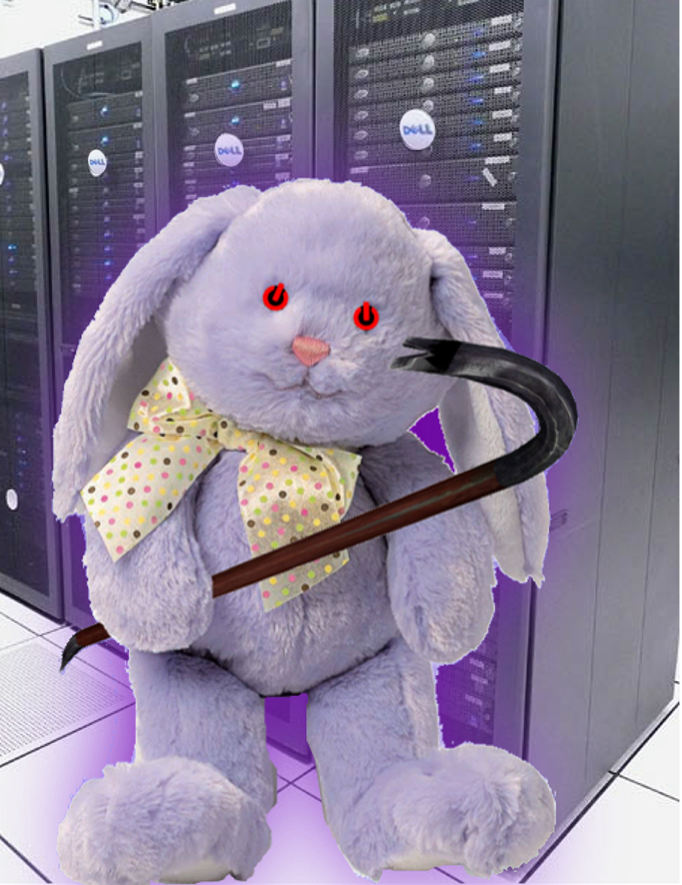
**Crowbar naming history.  The original code name for this project was offered by Greg Althaus as “you can name it purple fuzzy bunny for all I care.”  While excellent as a mascot, it was cumbersome to say quickly.  Crowbar was picked up as a code name because it is 1) easy to say, 2) used for unboxing things, 3) a powerful and fast tool and 4) the item you start with in a popular FPS.  Once properly equipped, our bunny (I call him “Mesa”) was ready to hit IT.

Why cloud compute will be free

Today at Dell, I was presenting to our storage teams about cloud storage (aka the “storage banana”) and Dave “Data Gravity” McCrory reminded me that I had not yet posted my epiphany explaining “why cloud compute will be free.”  This realization derives from other topics that he and I have blogged but not stated so simply.

Overlooking that fact that compute is already free at Google and Amazon, you must understand that it’s a cloud eat cloud world out there where losing a customer places your cloud in jeopardy.  Speaking of Jeopardy…

Answer: Something sought by cloud hosts to make profits (and further the agenda of our AI overlords).

Question: What is lock-in?

Hopefully, it’s already obvious to you that clouds are all about data.  Cloud data takes three primary forms:

  1. Data in transformation (compute)
  2. Data in motion (network)
  3. Data at rest (storage)

These three forms combine to create cloud architecture applications (service oriented, externalized state).

The challenge is to find a compelling charge model that both:

  1. Makes it hard to leave your cloud AND
  2. Encourages customers to use your resources effectively (see #1 in Azure Top 20 post)

While compute demands are relatively elastic, storage demand is very consistent, predictable and constantly grows.  Data is easily measured and difficult to move.  In this way, data represents the perfect anchor for cloud customers (model rule #1).  A host with a growing data consumption foot print will have a long-term predictable revenue base.

However, storage consumption along does not encourage model rule #2.  Since storage is the foundation for the cloud, hosts can fairly judge resource use by measuring data egress, ingress and sidegress (attrib @mccrory 2/20/11).  This means tracking not only data in and out of the cloud, but also data transacted between the providers own cloud services.  For example, Azure changes for both data at rest ($0.15/GB/mo) and data in motion ($0.01/10K).

Consequently, the financially healthiest providers are the ones with most customer data.

If hosting success is all about building a larger, persistent storage footprint then service providers will give away services that drive data at rest and/or in motion.  Giving away compute means eliminating the barrier for customers to set up web sites, develop applications, and build their business.  As these accounts grow, they will deposit data in the cloud’s data bank and ultimately deposit dollars in their piggy bank.

However, there is a no-free-lunch caveat:  free compute will not have a meaningful service level agreement (SLA).  The host will continue to charge for customers who need their applications to operate consistently.  I expect that we’ll see free compute (or “spare compute” from the cloud providers perspective) highly used for early life-cycle (development, test, proof-of-concept) and background analytic applications.

The market is starting to wake up to the idea that cloud is not about IaaS – it’s about who has the data and the networks.

Oh, dem golden spindles!  Oh, dem golden spindles!

32nd rule to measure complexity + 6 hyperscale network design rules

If you’ve studied computer science then you know there are algorithms that calculate “complexity.” Unfortunately, these have little practical use for data center operators.  My complexity rule does not require a PhD:

The 32nd rule: If it takes more than 30 seconds to pick out what would be impacted by a device failure then your design is too complex.

6 Hyperscale Network Design Rules

  1. Cost Matters
  2. Keep Networks Flat
  3. Filter at the Edge
  4. Design Fault Zones
  5. Plan for Local Traffic
  6. Offer load balancers (to your users)

Sorry for the teaser… I’ll be able to release more substance behind this list soon.   Until then comments are (as always) welcome!


Bootstrapping Hyperscale OpenStack Clouds – slides from 2/3 OpenStack SJC Meetup

The OpenStack meeting lightening talk is only 5 minutes, so the deck is mostly pictures that support points around a more detailed followup.

Here’s the deck: bootstrapping clouds preso

 and my Hyperscale white paper (links through Dell.com)

The theme of the talk is that hyperscale systems requires a fundamentally different management paradigm because at hyperscale

hardware faults are common,manual steps are impractical and small costs add up quickly.

Included in the preso are concepts I introduced at Flatness at the Edge.

2/10 Update: Now you can watch it Thanks to “@opnstk_com_mgr Stephen Spector lighting talks video of Rob Hirschfeld, Dell at Santa Clara, CA Meetup Feb 3, 2011 http://ow.ly/3U8OA

“Flatness at the Edges” guides hyperscale cloud design

As I’m working on a larger “cloud bootstrapping” white paper (look for a pending Dell release), I stumbled on an apparent unifying principle for hyperscale cloud design.  I’m interested in feedback about this concept to see if it fairly encapsulates a common target for cloud hardware, networking and software design.

“Flatness at the Edges” is one of the guiding principles of hyperscale cloud designs.  

Flatness means that cloud infrastructure avoids creating tiers where possible.  For example, having a blade in a frame aggregating networking that is connected to a SAN via a VLAN is a tiered design in which the components are vertically coupled.  A single node with local disk connected directly to the switch has all the same components but in a single “flat” layer.  

Edges are the bottom tier (or “leaves” to us CS geeks) of the cloud.  Being flat creates a lot of edges because most of the components are self contained.  To scale and reduce complexity, clouds must rely on the edges to make independent decisions such as how to route network traffic, where to replicate data, or when to throttle VMs.  The anti-example of edge design is using VLANs to segment tenants because VLANs (a limited resource) require configuration at the switching tier to manage traffic generated by an edge component.  We are effectively distributing an intelligence overhead tax on each component of the cloud rather than relying on a “centralized overcloud” to rule them all. 

Combining flatness and edges evolves the sympathetic concepts into full-fledged cloud design principle.

Interested in discussing this face to face?  I’ll presenting this and other cloud setup concepts that the SJC OpenStack meetup on 2/3.

Adding #11 to RightScale CEO’s Top 10 Cloud Myths

Generally, I think of a “Top 10 Cloud Myths” post as pure self-serving marketing fluffery, so I was pleasantly surprised to see Michael Crandal (RightScale’s CEO) producing a list with some substance.   Don’t get me wrong, the list is still a RightScale value prop 101.  It’s just that they have the good fortune to be addressing real problems and creating real value.

So, here’s my Myth #11 “We have to re-write our applications to run in the cloud.”  While that’s largely a myth; it may be a good myth to keep around because many applications SHOULD be rewritten – not for the cloud, but for changing usage patterns (more mobile users, more remote users, more SOA clients, etc)

OpenStack Swift Retriever Demo Online (with JavaScript xmlhttprequest image retrieval)

This is a follow-up to my earlier post with the addition of WORKING CODE and an ONLINE DEMO. Before you go all demo happy, you need to have your own credentials to either a local OpenStack Swift (object storage) system or RackSpace CloudFiles.

The demo is written entirely using client side JavaScript. That is really important because it allows you to test Swift WITHOUT A WEB SERVER. All the other Swift/Rackspace libraries (there are several) are intended for your server application to connect and then pass the file back to the client. In addition, the API uses meta tags that are not settable from the browser so you can’t just browse into your Swift repos.

Here’s what the demo does:

  1. Login to your CloudFiles site – returns the URL & Token for further requests.
  2. Get a list of your containers
  3. See the files in each container (click on the container)
  4. Retrieve the file (click on the file) to see a preview if it is an image file

The purpose of this demo is to be functional, not esthetic. Little hacks like pumping the config JSON data to the bottom of the page are helpful for debugging and make the action more obvious. Comments and suggestions are welcome.

The demo code is 4 files:

  1. demo.html has all the component UI and javascript to update the UI
  2. demo.js has the Swift interfacing code (I’ll show a snippet below) to interact with Swift in a generic way
  3. demo.css is my lame attempt to make the page readable
  4. jQuery.js is some first class code that I’m using to make my code shorter and more functional.

1-17 update: in testing, we are working out differences with Swift and RackSpace. Please expect updates.

HACK NOTE: This code does something unusual and interesting. It uses the JavaScript XmlHttpRequest object to retrieve and render a BINARY IMAGE file. Doing this required pulling together information from several sources. I have not seen anyone pull together a document for the whole process onto a single page! The key to making this work is overrideMimeType (line G), truncating the 32 bit string to 16 bit ints ( & 0xFF in encode routine), using Base64 encoding (line 8 and encode routine), and then “src=’data:image/jpg;base64,[DATA GOES HERE]'” in the tag (see demo.html file).

Here’s a snippet of the core JavaScript code (full code) to interact with Swift. Fundamentally, the API is very simple: inject the token into the meta data (line E-F), request the /container/file that you want (line D), wait for the results (line H & 2). I made it a little more complex because the same function does EITHER binary or JSON returns. Enjoy!

retrieve : function(config, path, status, binary, results) {

1   xmlhttp = new XMLHttpRequest();

2   xmlhttp.onreadystatechange=function()  //callback

3      {

4         if (xmlhttp.readyState==4 && xmlhttp.status==200) {

5            var out = xmlhttp.responseText;

6            var type = xmlhttp.getResponseHeader("content-type");

7            if (binary)

8               results(Swift.encode(out), type);

9            else

A               results(JSON.parse(out));

B         }

C      }

D   xmlhttp.open('GET',config.site+'/'+path+'?format=json', true)

E   xmlhttp.setRequestHeader('Host', config.host);

F   xmlhttp.setRequestHeader('X-Auth-Token', config.token);

G   if (binary) xmlhttp.overrideMimeType('text/plain; charset=x-user-defined');

H   xmlhttp.send();
}

OpenStack Swift Demo (in a browser)

I’m working on mini-demo project for OpenStack Swift.  To keep things very simple and easy to understand, I decided that the whole demo would work in JavaScript in the browser.  I also choose to use RackSpace’s CloudFiles as a Swift target for testing since they have the same API are are universally available (unlike my lab systems).

One advantage of this approach is that FireBug makes it very nice to debug and check the activity of the code.  Unfortunately, FireBug also seems to eat the headers that I need.  *Let me phrase that in a google friend way so that someone else will not loose the 2 hours I just lost*

“XmlHttpRequest setRequestHeader FireFox Not Respected when using FireBug”

It works great in Safari. So onward and upward.  So far, I’ve got step #1 ready – getting the authorization token back from the cloud site.

Here’s the HTML page (you need jQuery too).  Basically, it uses the username and key from the inputs to set “x-auth-user” and “x-auth-key” header attributes.  These attributes will allow Swift to return a token that you can use on future requests when you want to do useful work.

<!DOCTYPE html>

<html>

<head>

<title>Dell Swift Demo [0.0]</title>

<script src=”jquery.js” type=”text/javascript”></script>

<script type=”text/javascript” charset=”utf-8″>

var xmlhttp = null;

function swiftLogin() {

var usr = $(‘input:text[name=usr]’).val();

var key = $(‘input:text[name=key]’).val();

// code for IE7+, Firefox, Chrome, Opera, Safari (UR SOL IE<7)

xmlhttp = new XMLHttpRequest();

xmlhttp.onreadystatechange=function() //callback

{

if (xmlhttp.readyState==2)

{

$(‘#status’).replaceWith(xmlhttp.getResponseHeader(“X-Auth-Token”));

}

}

xmlhttp.open(‘GET’,’https://auth.api.rackspacecloud.com/v1.0&#8242;, true);

xmlhttp.setRequestHeader(‘Host’, ‘auth.api.rackspacecloud.com’);

xmlhttp.setRequestHeader(‘X-Auth-User’, usr);

xmlhttp.setRequestHeader(‘X-Auth-Key’, key);

xmlhttp.send();

}

</script>

</head>

<body>

<div id=”credentials”>

<fieldset id=”credentials” class=””>

<legend>Swift Login</legend>

<label for=”user”>User: </label><input type=”text” name=”usr” value=”user” id=”user”>

<label for=”key”>Key: </label><input type=”text” name=”key” value=”key” id=”key”>

<input type=”button” name=”Login” value=”login” id=”Login” onclick=”swiftLogin();”>

</fieldset>

</div>

<div id=”status”>[pending]</div>

<div id=”footer”>Time?</div>

<script type=”text/javascript”>

$(‘#footer’).replaceWith((new Date).toString());

swiftLogin();

</script>

</body>

</html>